Here you will find what you need to succeed with SG Smart
SG Smart App is a free app for controlling and configuring SG Smart's various devices. In addition to being able to switch on, off and dim lighting, it is also possible to group lighting and other electrical installations, create scenes and program the devices to switch on/off at specific times or at sunrise and sunset.
The following video shows you the most important features of the SG Smart app
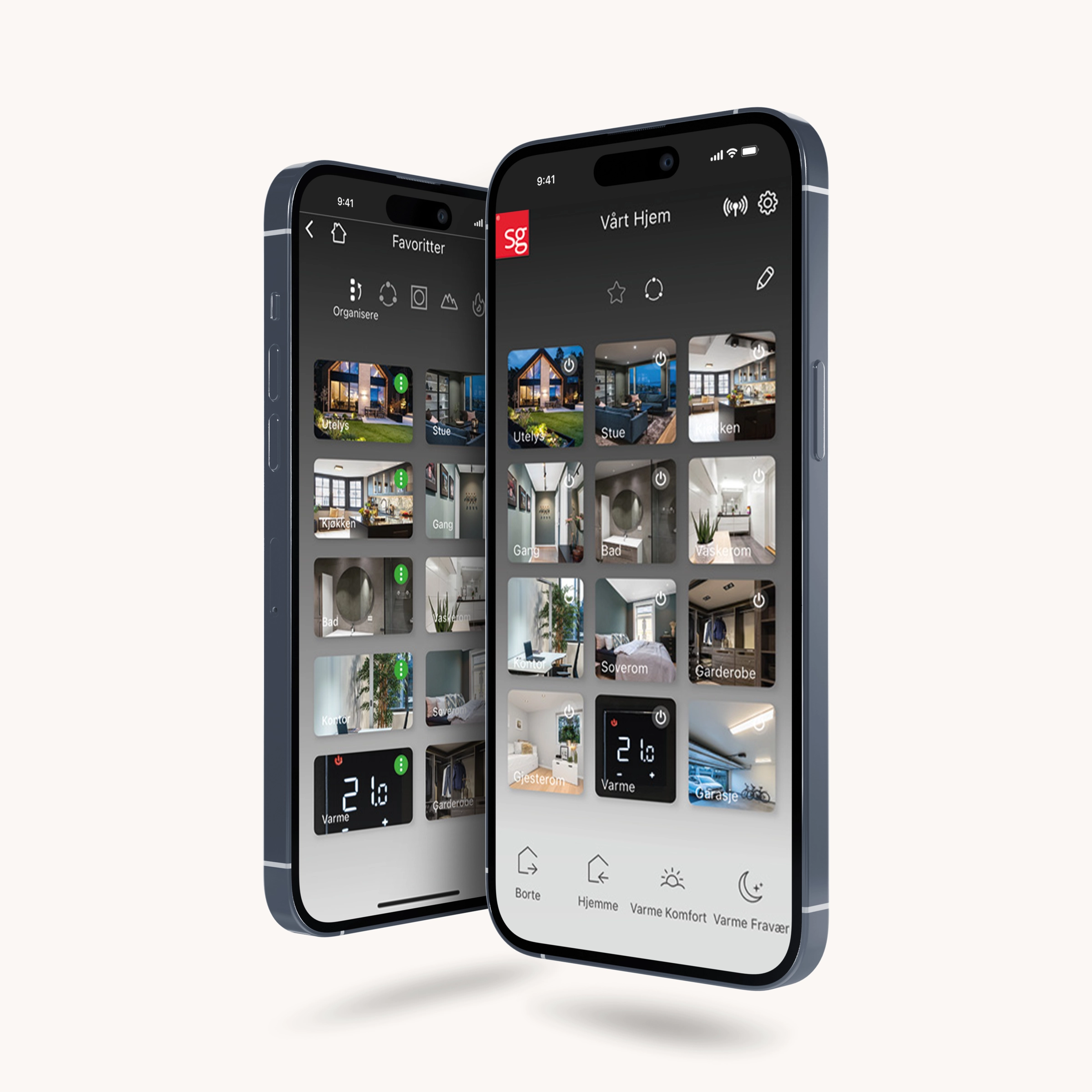
Make everyday life easier with the SG Smart app
The app is a free app for controlling and setting various devices connected to SG Smart. In addition to being able to turn on/off and dim the light, it is also possible to group, create scenes and program the devices to turn on/off.
How to get started
Good working methodology
Simple configuration is the key to a smooth installation process, with your smartphone or tablet acting as the only necessary tool for programming. We have developed a user-friendly guide to guide you through the entire commissioning process.
Read more 01Create a location
When creating a location, it is recommended to use the home's address as the name. A location is divided into groups according to rooms or areas in a property.
Read more 02Create group
For each group of devices that will work together, a group must be created. A location is divided into groups or rooms according to rooms and areas in a home, such as kitchen, living room, bedroom, etc.
Read more 03Add devices
Add devices quickly and easily: find new devices, identify them and connect in just a few steps. Follow the guide to name each device, place it in the right group and make the necessary settings.
Read more 04Add and change switches
Easily add and configure Smart Switches: activate switches, connect them to devices or groups, name them, and adjust button functions as needed.
Read more 05Location settings
Manage your location by changing the name and icon, add or remove users, and decide who gets full control or limited access.
Read more 06Group settings
With group configuration, you can change, delete or create the groups you have on the home screen.
Read more 07Device settings
Edit settings directly from the group or via the main menu for full control over all devices.
Read more 08Create scenarios
Under each group it is possible to create different scenarios. For example, a scenario could be TV lights, dinner party, etc.
Read more 09Location code
Location code gives the administrator access to the facility.
Read more 10Installation test
To make a quick check that the SG Smart units are programmed to the location and working as expected, we recommend performing a simple on/off command to check that the units are communicating with each other.
Read moreKnowledge articles
Share location with another user or new owner
How to share location with another user or new owner
Configure shortcuts
First select your location. Then open settings via the gear icon in the top right corner and scroll down to Shortcuts. Here, select the shortcut you want to change, such as Home, Away, Morning or Night.
How to reset a device
Make sure the device has power. If your device is wireless and not responding, change the battery first. Open the app, select the correct location and tap the gear in the top right corner to open Settings.
How to remove yourself from a location
Open the SG Smart app on your phone and tap the red SG logo in the top left corner. Then tap the pencil icon in the top right and find the location in the list. Tap the pencil icon next to the name.
How to report a problem
Open "Settings" in the app. Scroll down to the "Other" section and tap "Contact" (the letter icon). Select the email account you want to send from.
Time control of heating
Thermostat Timer is used to control heating automatically throughout the day and week.
Master and Followers
The Master function allows one device to control one or more other devices (When the Master device is activated, the Follower devices will perform the same action.
Use of Actions (Automations)
Actions allow SG Smart to perform actions automatically when an event occurs. Actions require SG Smart Gateway.
Repair a component (via app)
Use Repair if a device has been added but is not responding as expected. Repair is only performed via the app - no physical action on the device.
Circadian / Circadian control
Circadian requires SG Smart Gateway and compatible Tunable White products controlled by TW dimmers or TW pills. Circadian automatically adjusts light level and color temperature throughout the day for Tunable White products.
Support pages
SG Smart FAQ
Get answers to "frequently asked questions" related to SG Smart products
Save money with the app
If you even out your electricity consumption over the course of the day, you can get a lower capacity charge than if you use a lot of electricity at the same time.
How to report a problem
Open "Settings" in the app. Scroll down to the "Other" section and tap "Contact" (the letter icon). Select the email account you want to send from.
Matter and SG Smart Gateway
This page describes the use of Matter together with SG Smart Gen 3.0 Gateway. The manual is intended as a concise and clear guide for the installer and end customer, and covers Matter functionality and integration between SG Smart and third-party smart home platforms.
Hybrid Network
A hybrid network is a setup in which both SG Smart 3.0 and previous-generation SG Smart devices are used at the same location.